Business forms and interfaces
Shape screens around what a role needs to know and do. Retained examples include request forms, approval workbenches and comparison experiences.

Build
Create forms and business experiences that connect information to action. Bring fields, selections, tables and supporting documents into the task context, then inspect the experience before opening it to users.
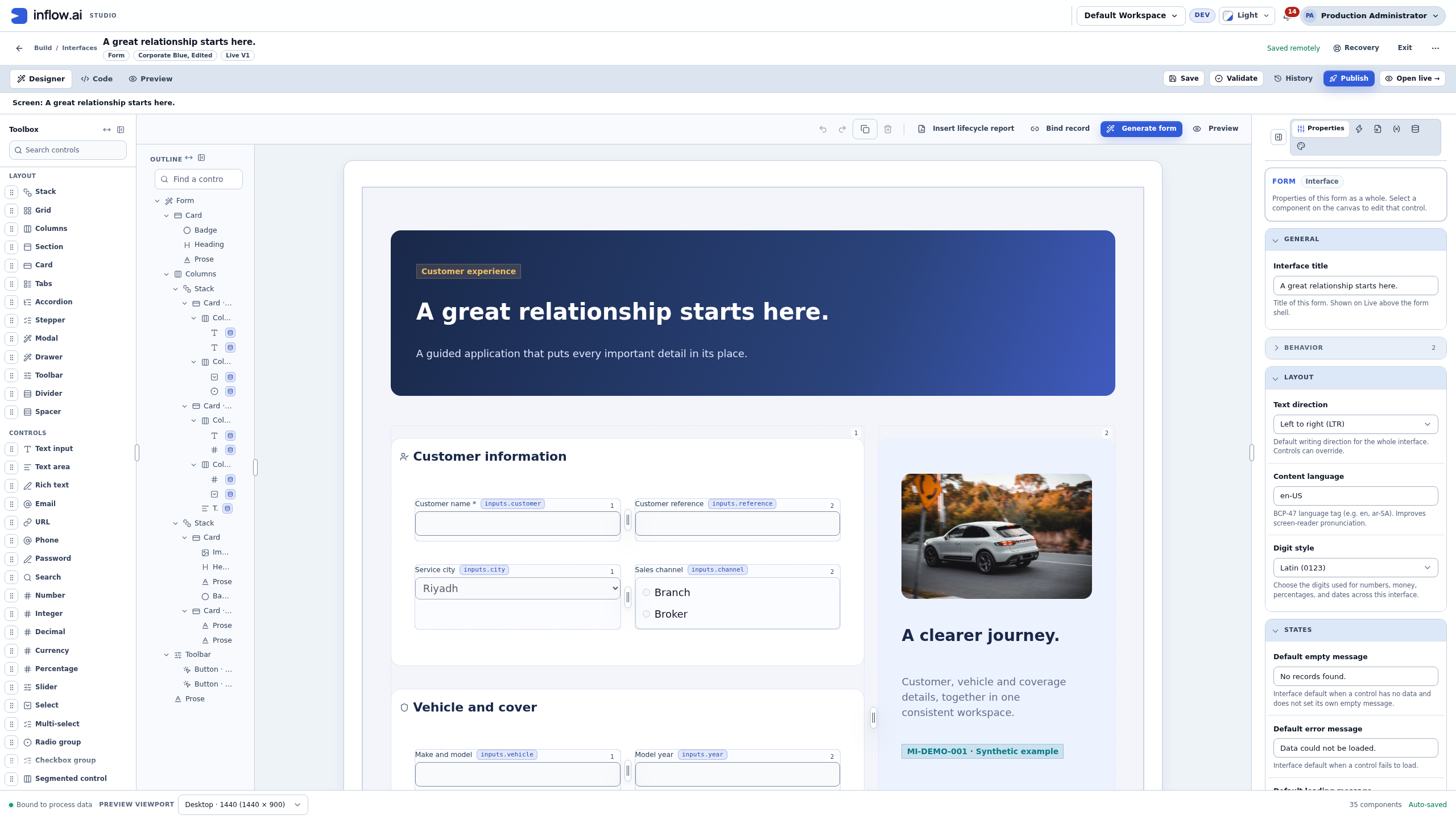
Shape screens around what a role needs to know and do. Retained examples include request forms, approval workbenches and comparison experiences.
Present fields, selections and tables in context. Retained previews identify connected data controls and process-data binding.
Review an interface through different authoring views. Historical navigation exposes Designer, Code and Preview around the same experience.
Try representative information while reviewing a form. Retained previews expose test values, sample-data filling and form checks.
Plan interfaces for the devices and roles involved. A retained preview shows viewport selection, while current responsive behavior requires demonstration.
Inspect the experience before presenting it to users. Historical controls include Save, Validate, History, Publish and Open live.
Discuss the objects, responsibilities and boundaries that make this capability useful in your environment.
The data and actions appropriate to each user role
Validation, errors and recovery within the form
The complete desktop and mobile experience to review
Illustrative solution scenarios to shape a useful demonstration.
Build a purchase-request form with items, evidence and review context.
Collect a reviewer’s decision and rationale in an approval workbench.
Combine quotations and supporting documents in a supplier comparison.
Inside the product
Inspect native application and builder views, with full-size previews and the context behind each capture.
Native component palette, outline, form canvas and property controls.
Native Inflow application UX with synthetic insurance examples. External business services are not connected.
Native Inflow application UX with synthetic insurance examples. External business services are not connected.
Bring your business journey, AI environment and integration needs. Let’s explore the right starting point.
Request a demo