Typed decision inputs
Define the facts needed for a decision. The retained editor shows numeric and yes/no inputs as separate decision-table columns.

Orchestrate
Turn business facts into explicit decision outcomes. Use readable conditions, named outputs and representative test values to make routing and review logic understandable across the solution.
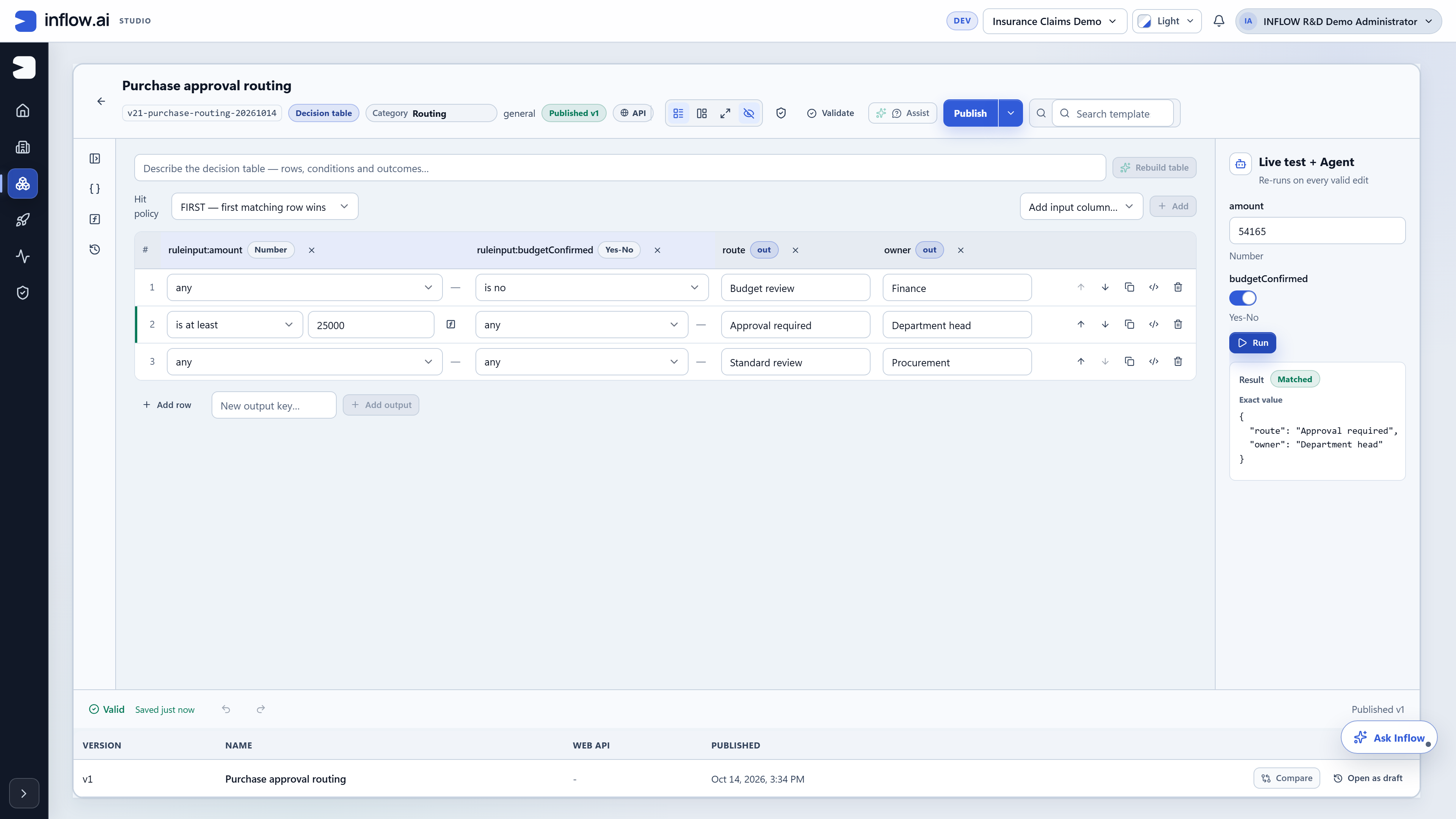
Define the facts needed for a decision. The retained editor shows numeric and yes/no inputs as separate decision-table columns.
Express the combinations that lead to an outcome. Keep exceptional routes and standard cases visible to business reviewers.
Return business values that another part of the solution can use. The retained example produces both a routing result and a responsible owner.
Make the interpretation of matching rows clear. The retained table uses FIRST matching-row behavior; other hit policies need separate confirmation.
Try representative facts against the table. The live-test pane displays supplied values and the matched output to make routing logic concrete.
Keep logic separate from an individual screen. Historical editor controls show validation, publishing, comparison and reopening a version as a draft.
Discuss the objects, responsibilities and boundaries that make this capability useful in your environment.
The matching policy and order of rules
Boundary cases, missing inputs and fallback outcomes
Who may review and publish a rule change
Illustrative solution scenarios to shape a useful demonstration.
Route a purchase to budget review, department approval or procurement review.
Apply configured eligibility criteria before a person reviews an exception.
Return the next task and owner from a shared set of business facts.
Genuine retained demonstrations, shown with their original context. Open each view to inspect the details.
Bring your business journey, AI environment and integration needs. Let’s explore the right starting point.
Request a demo