Business states
Describe where a case is in its journey. Give active, waiting and terminal outcomes a clear business meaning.

Orchestrate
Model business states, the work inside them and the transitions between them. Keep human decisions, returned work and exceptional outcomes visible throughout the case journey.
Inside the product
Explore actual captured Inflow views. Change the view, open the original and read the context beside it.
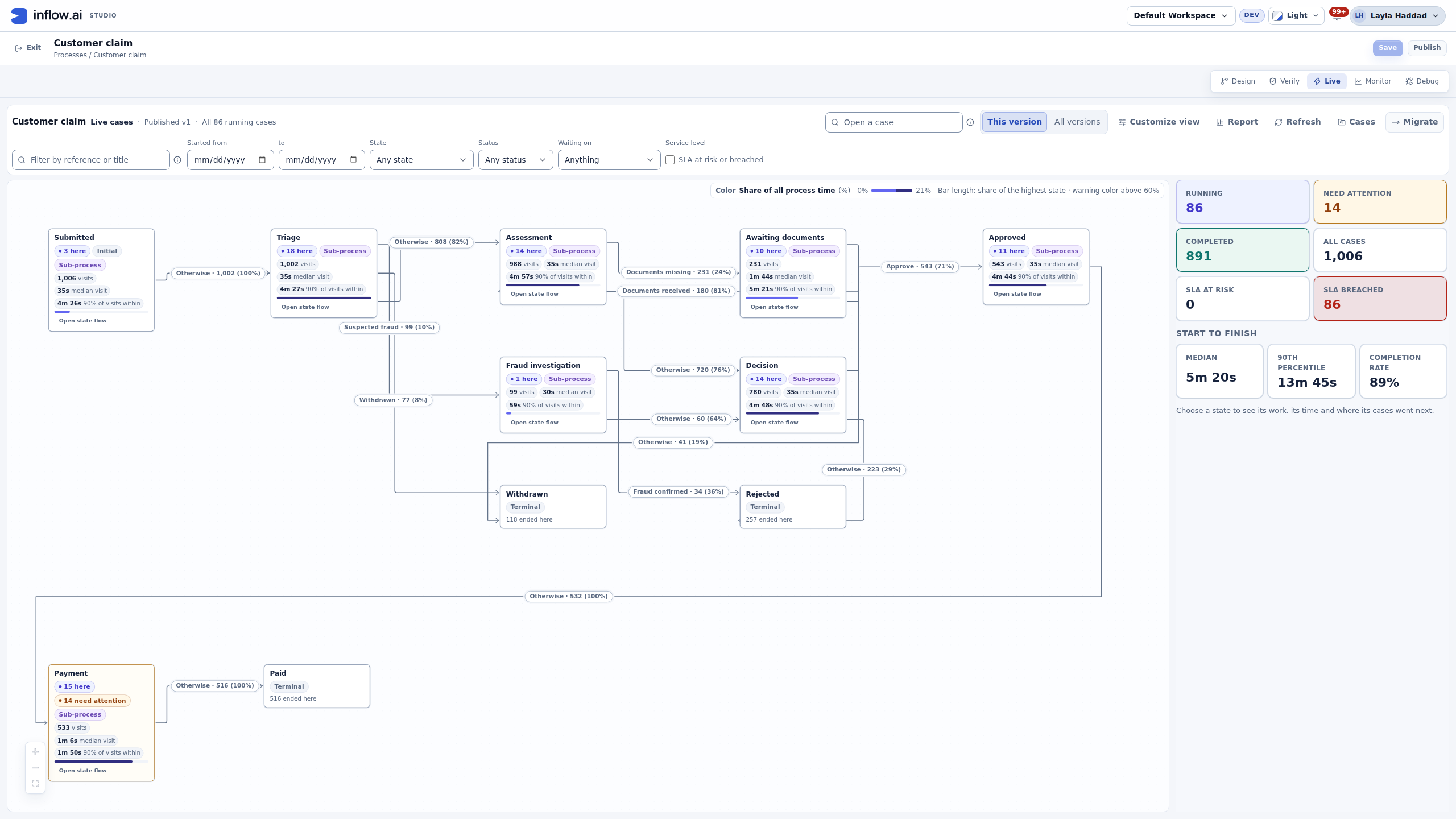
Read the states, permitted routes and distribution of 1,006 fictional claims. Then follow the work inside a state or inspect one case.
Native development capture. Counts and timings belong to a synthetic demonstration, not a customer or performance benchmark.
Explore this capabilityDescribe where a case is in its journey. Give active, waiting and terminal outcomes a clear business meaning.
Make the routes between states explicit. Include the conditions and decisions that determine what may happen next.
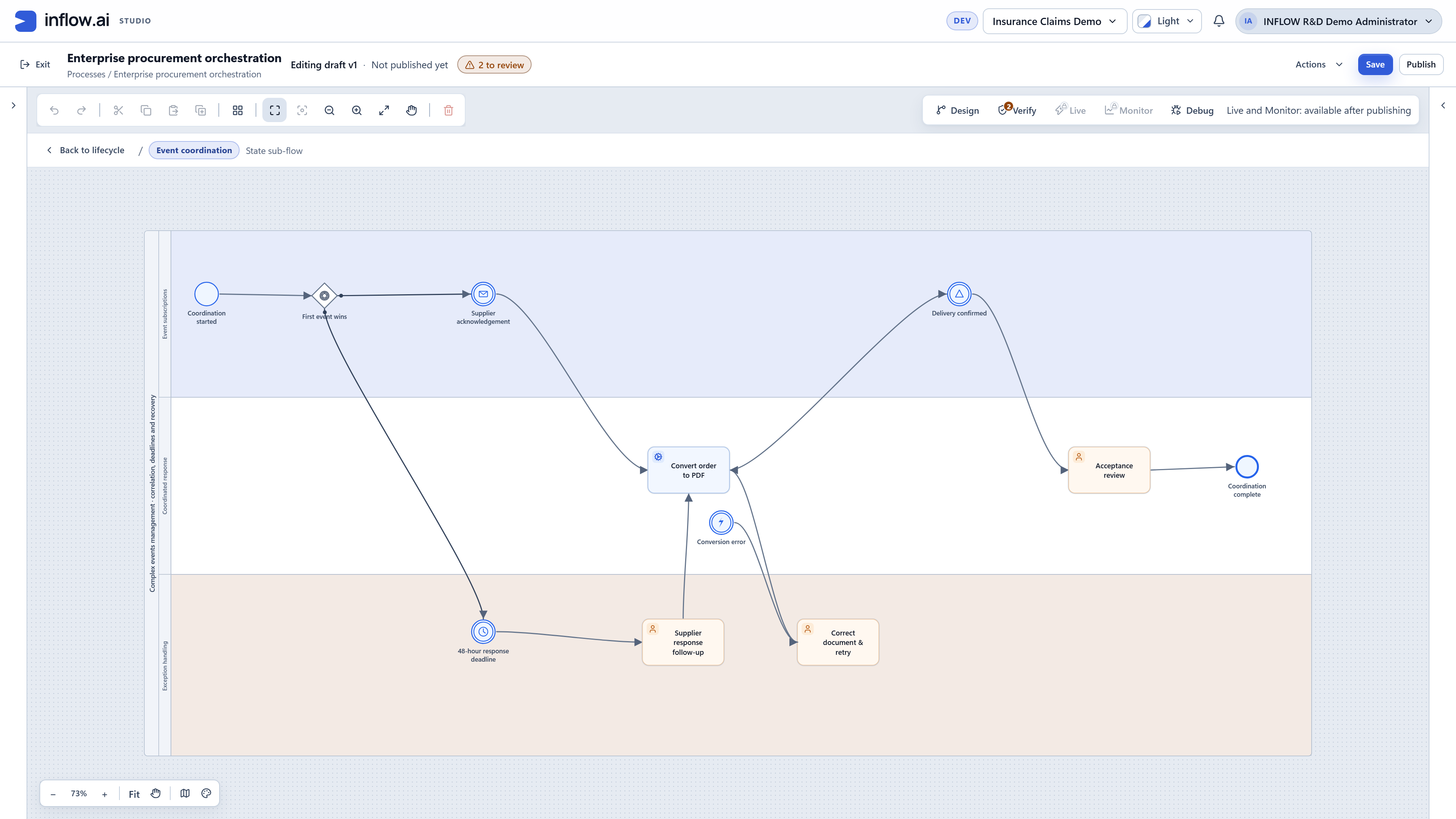
Connect a stage to the activities needed to complete it. State sub-flows express the automated and human work associated with that part of the journey.
A case may need clarification, correction or further investigation. Show these routes rather than treating every journey as a straight line.
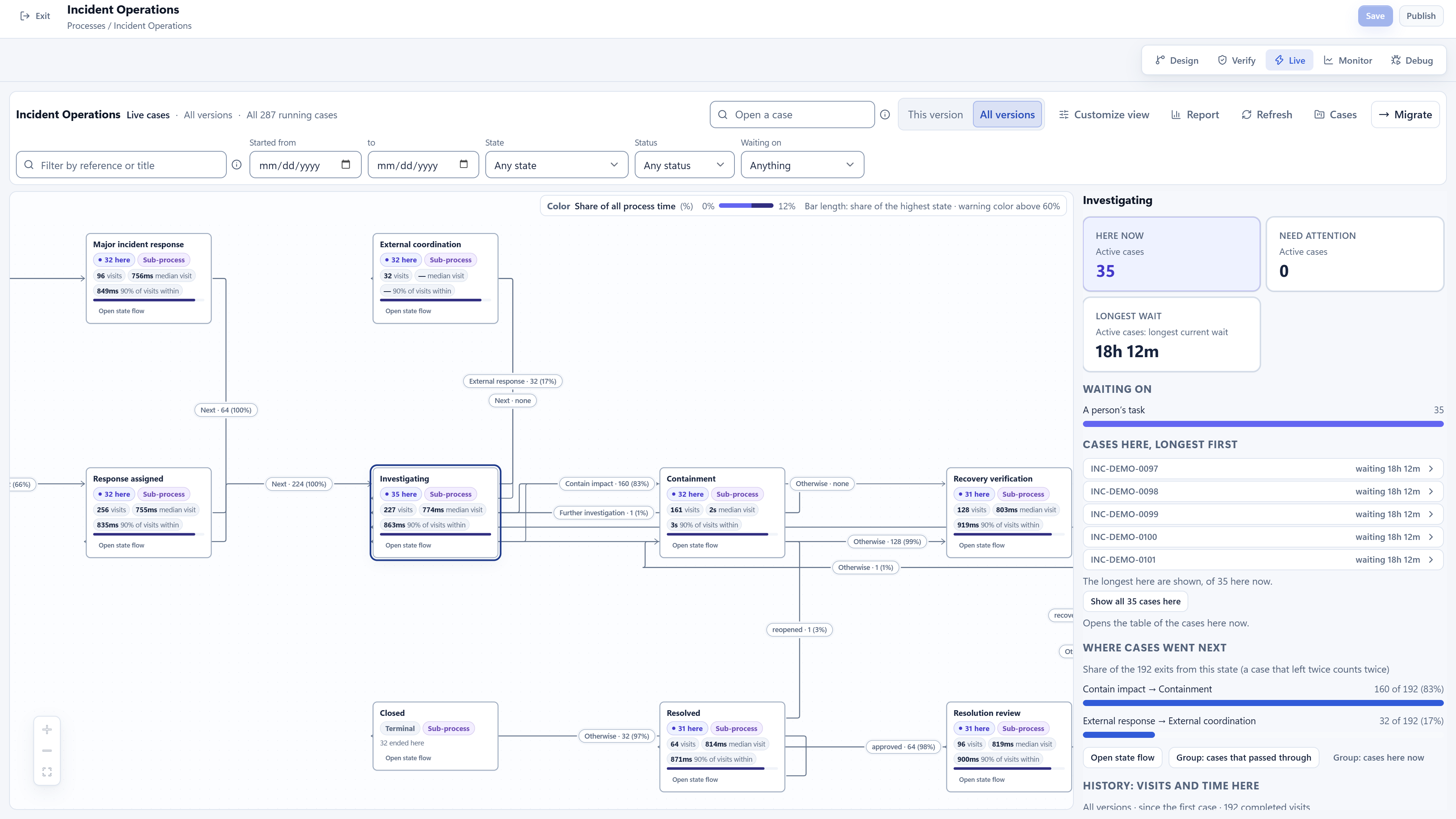
Inspect which cases are at a selected state and what they are waiting on. The retained operations view also shows state visits and destination patterns.
Review running cases across the model versions in use. Keep the case context visible while discussing change and operational follow-up.
01 / A closer look
A lifecycle gives the case its business position. The case path and timeline show how it reached that position, while a state flow explains the work performed within a stage. Read these views together to understand a handoff, return or completed outcome.
02 / A closer look
Simulation adds a separate perspective to process design. Configure a modelled run, inspect its assumptions and compare the resulting measures with the business question you are evaluating. The configuration and its assumptions belong beside the results.
03 / A closer look
Use simulation as a way to investigate alternatives. Read the run settings, outcome distribution, timing measures and modelled cost together. A scenario is useful when its assumptions are clear enough for the team to challenge.
Discuss the objects, responsibilities and boundaries that make this capability useful in your environment.
Who may move a case to its next state
Which conditions allow each transition
How return paths and final outcomes are represented
Illustrative solution scenarios to shape a useful demonstration.
Track a claim from intake through assessment, clarification, approval and closure.
Return a service request for missing information before an authorized decision.
Handle an incident through investigation, containment, recovery verification and resolution review.
Genuine retained demonstrations, shown with their original context. Open each view to inspect the details.
Bring your business journey, AI environment and integration needs. Let’s explore the right starting point.
Request a demo