Message-driven responses
A process may wait for a meaningful message. The retained event model uses supplier acknowledgement as a business-specific example.

Connect
Coordinate messages, deadlines, signals and errors with the work they affect. Make waiting behavior and exception responses explicit, including the human follow-up needed when the expected path cannot continue.
Inside the product
Explore actual captured Inflow views. Change the view, open the original and read the context beside it.
A message wait, a human document task and a decision gateway explain the work behind Awaiting documents. The side panel connects that flow to waiting cases.
Native execution view with fictional records. The November activity chart is empty because the demonstration cases were started in October.
Explore this capabilityA process may wait for a meaningful message. The retained event model uses supplier acknowledgement as a business-specific example.
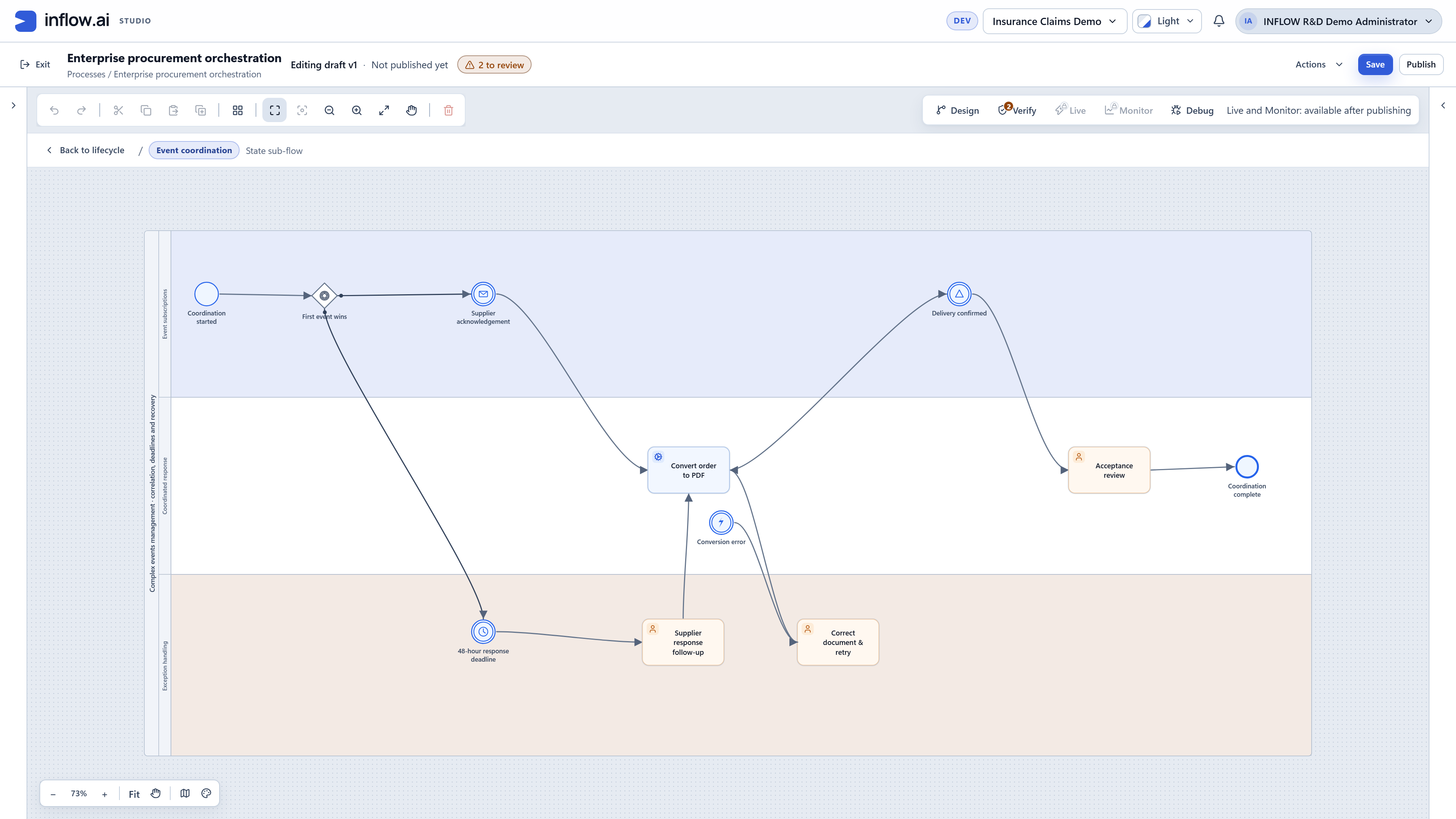
Make time-dependent follow-up explicit in the process model. A retained timer route sends an overdue supplier response to a human follow-up task.
Use a business signal to connect a relevant change to the next activity. The retained design includes delivery confirmation before acceptance review.
Describe error handling alongside the activity that can fail. The retained conversion example routes an error to document correction.
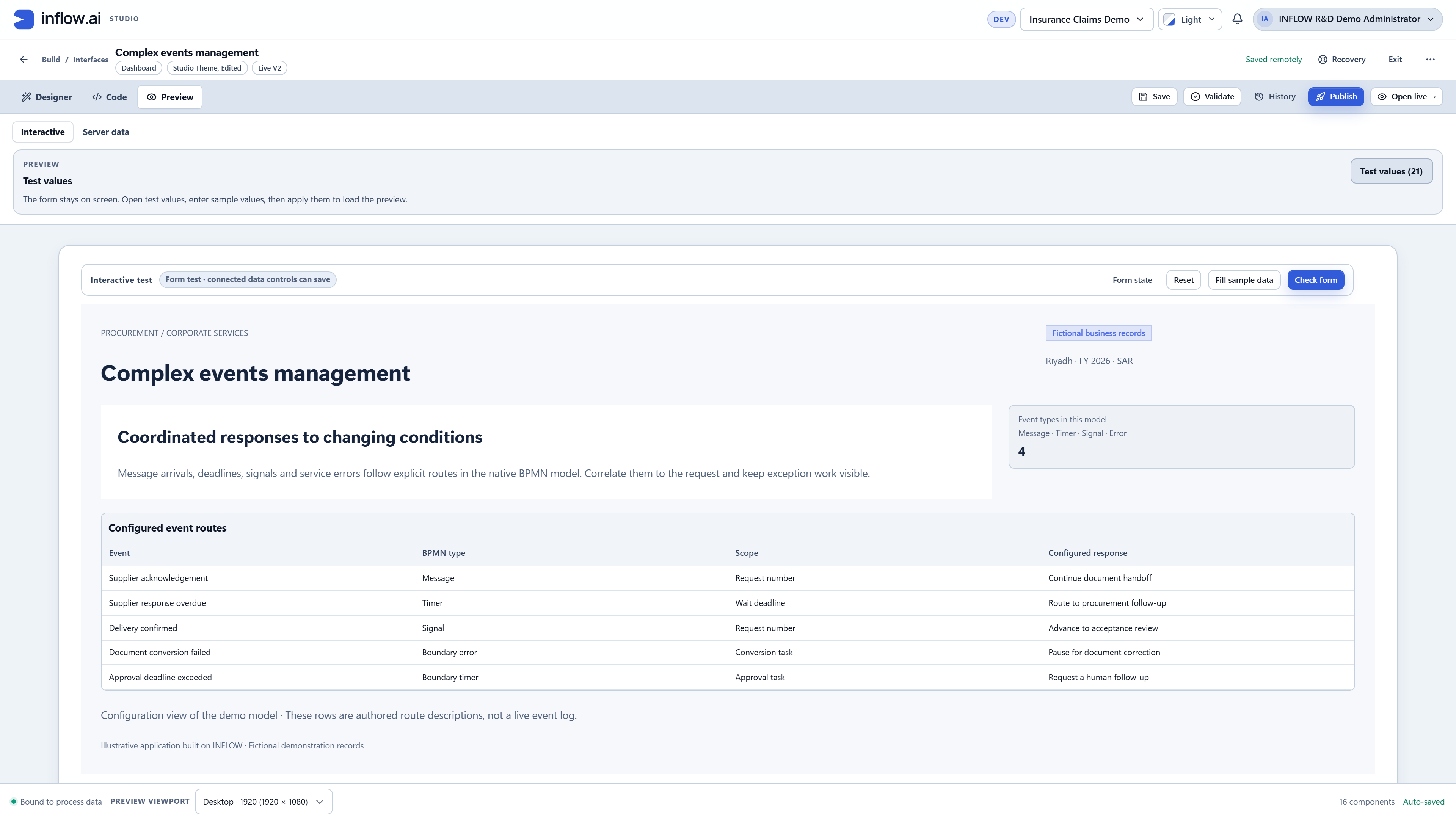
Give an event the business context needed to act on it. Define which request, task or process instance the event belongs to.
Keep exception responses visible to responsible users. Separate authored event-route descriptions from live operational evidence.
01 / A closer look
A business stage may need a message, a person or a deadline before it can continue. Model these routes inside the state flow so that waiting has a business meaning and the next response remains visible.
02 / A closer look
Deadlines and errors should lead to an understandable next step. The retained procurement design connects waiting, overdue follow-up and document correction to explicit activities rather than hiding them outside the process.
Discuss the objects, responsibilities and boundaries that make this capability useful in your environment.
The business record or case associated with each event
What happens when a message, deadline or error occurs
The delivery, duplicate-handling and recovery requirements
Illustrative solution scenarios to shape a useful demonstration.
Continue a document handoff when a supplier acknowledgement arrives.
Create human follow-up after a configured response deadline.
Correct a failed document conversion before the process continues.
Genuine retained demonstrations, shown with their original context. Open each view to inspect the details.
Bring your business journey, AI environment and integration needs. Let’s explore the right starting point.
Request a demo