Monte Carlo scenarios
Configure a case batch and iteration count, with a random seed that makes the chosen run settings explicit.

Orchestrate
Explore process alternatives with explicit scenarios. Configure Monte Carlo inputs, inspect modelled outcomes and read recorded history separately, before deciding what to change.
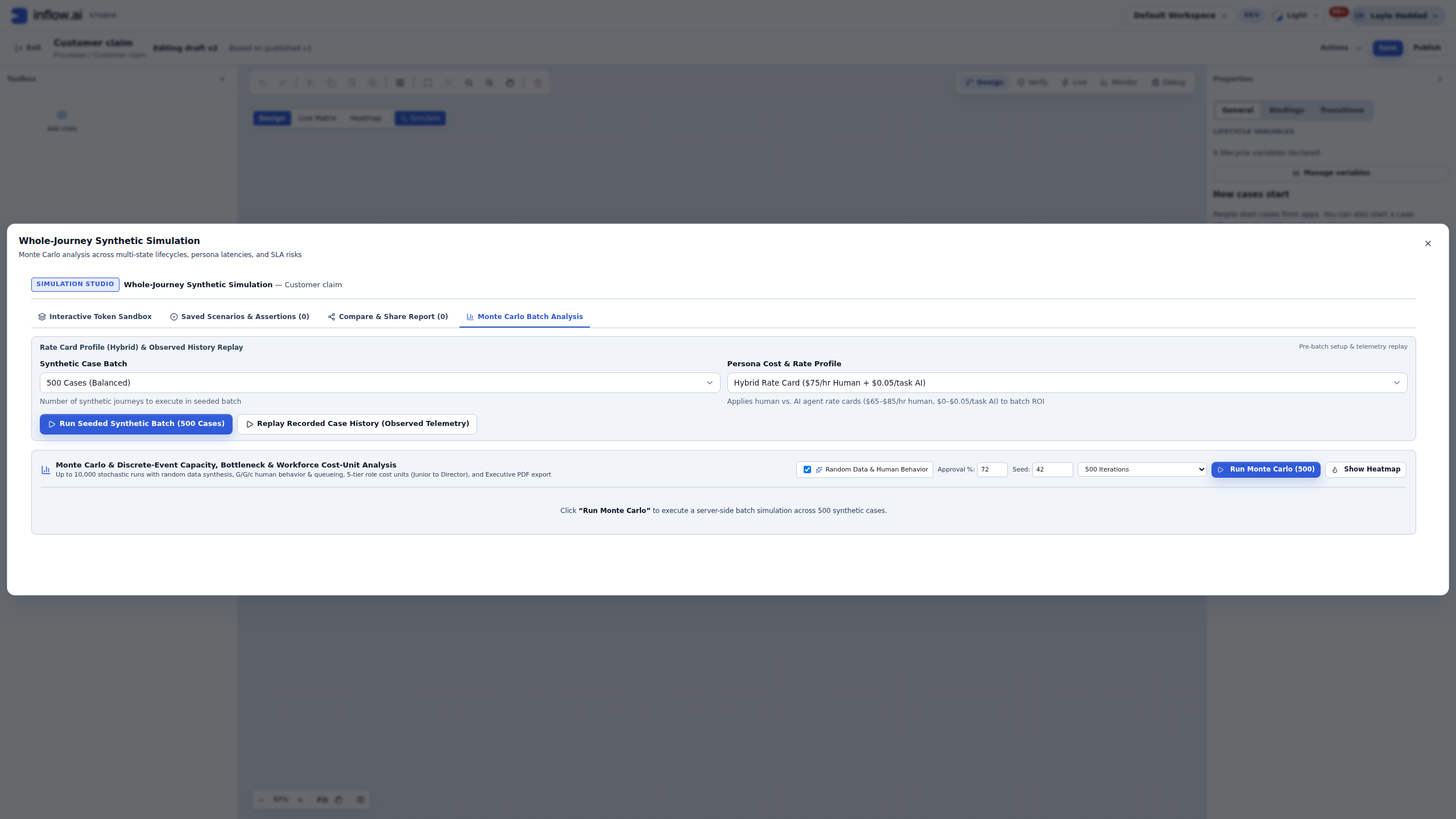
Inside the product
Explore actual captured Inflow views. Change the view, open the original and read the context beside it.
Inspect the actual Monte Carlo controls: case batch, rate-card profile, approval setting, random seed and iterations. Make the assumptions explicit before reading output.
Native configuration view, not an executed result. Inputs shown here do not include explicit staffing or arrival-pattern controls.
Explore this capabilityConfigure a case batch and iteration count, with a random seed that makes the chosen run settings explicit.
Inspect the approval setting and the flow being represented. A different decision assumption can change the distribution of modelled outcomes.
Review the selected rate-card profile and cost units before interpreting an output. Modelled cost depends on the chosen assumptions.
Read the timing summaries and outcome charts together. Inspect which parts of the process are included in the run.
Distinguish a modelled scenario from the history of stored cases. Review the baseline, date window and case population before comparing views.
Keep assumptions, defaults and model limitations beside the results. Treat projections as questions to investigate rather than promises of savings.
Discuss the objects, responsibilities and boundaries that make this capability useful in your environment.
Which flow and case population does the model represent?
Which assumptions and cost units are being used?
What evidence would be needed before changing the real process?
Illustrative solution scenarios to shape a useful demonstration.
Explore how different decision assumptions affect a proposed process.
Discuss modelled cycle-time and cost distributions with the process owner.
Plan the evidence needed to compare a scenario with real operational history.
Bring your business journey, AI environment and integration needs. Let’s explore the right starting point.
Request a demo